
Quiet Mechanical Keyboards for the Office: Choosing Switches, Layouts and Ways to Reduce Noise
Mechanical keyboards feel great to type on but can annoy your colleagues. This guide covers choosing switches and layouts, plus tips to reduce typing noise so you can use one comfortably at the office.
1Which switches are the quietest
Clicky switches (often called blue switches) make a sharp click on every press — fun to type on but the loudest, so avoid them in a shared office.
Linear switches (usually red) press straight down smoothly with no bump; tactile switches (usually brown) have a light bump but no click. Both are quieter than clicky switches. If you need the quietest option, choose silent switches (silent red, silent tactile) with built-in dampening.
2Noise does not only come from the switches
Typing noise also comes from keys bottoming out and hitting the case. Keyboards with sound-dampening foam inside, thick keycaps and a solid case usually sound deeper and quieter.
Your typing habits matter too: typing lightly without slamming keys to the bottom reduces noise considerably.
3Choosing the right layout
Full-size keyboards have a number pad, handy for accounting data entry. TKL (no number pad) and 75% layouts are more compact, letting you keep the mouse closer and your shoulders more relaxed — popular with programmers. 65% and 60% layouts are very compact but drop the F-row or arrow keys, so you need Fn combinations.
If you often use the F keys (debugging, renaming…) and Home/End, choose TKL or 75%.
4Low-profile: light, quiet and compact
Low-profile mechanical keyboards have shorter switches and keycaps with less key travel, feeling closer to a laptop keyboard. They are usually quieter and need less wrist support.
They are a sensible choice if you are used to typing on a laptop or want a keyboard you can carry around.
5Features worth considering
Hot-swap lets you change switches without soldering — so you can still switch to quieter ones later if it turns out too loud. PBT keycaps are durable and develop less shine over time than ABS.
Multi-mode wireless (2.4GHz, Bluetooth, wired) makes it easy to switch between a desktop and a laptop. On macOS, choose a keyboard with a Mac mode or Mac keycaps.
Frequently Asked Questions
Are red switches quiet enough for the office?
Red switches are much quieter than blue ones, but they still make a bottoming-out sound. If your office is very quiet, choose silent switches.
Do O-rings help reduce noise?
Yes. Rubber O-rings under the keycaps soften the bottoming-out sound, but they shorten key travel and make the feel a little mushy.
Are mechanical keyboards better than membrane keyboards for heavy typists?
Many people find mechanical keyboards more precise and durable. A good membrane keyboard is still very quiet, though — what matters most is a typing feel that suits you.
Related Reviews
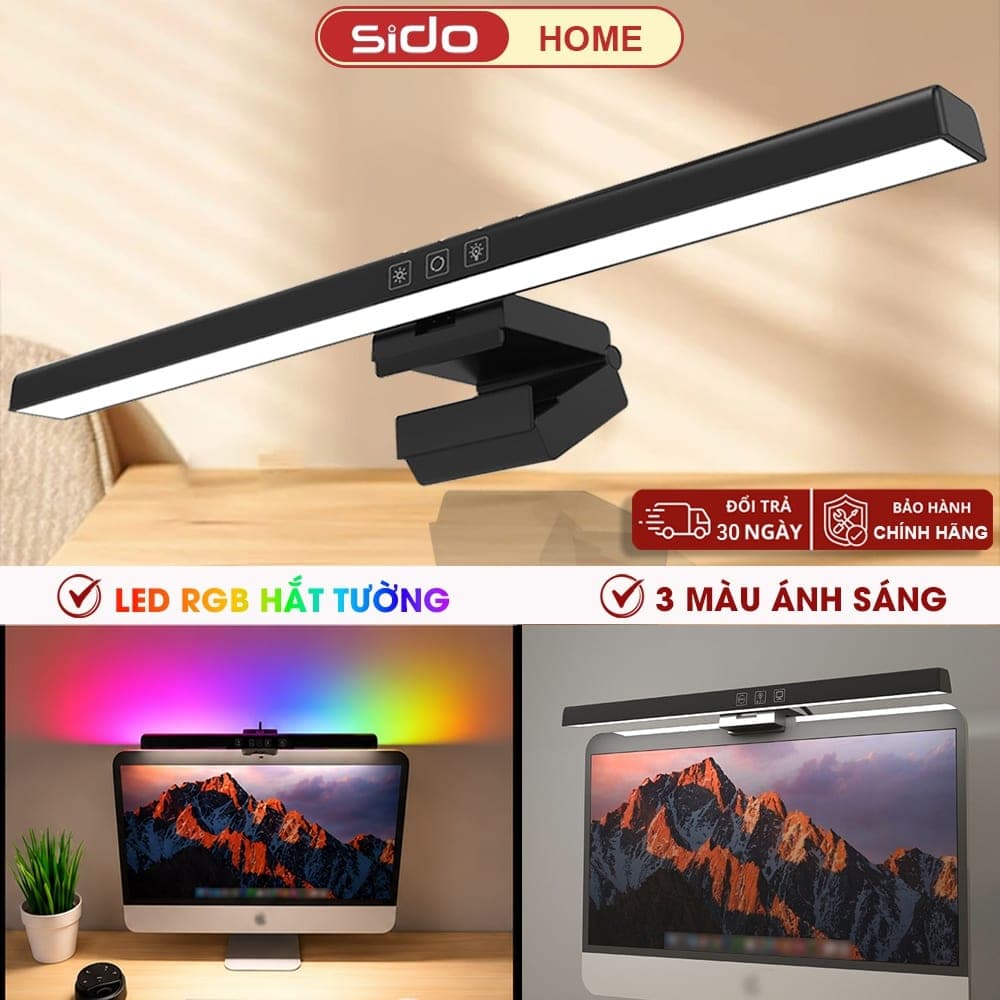
Sidohome SG301: An RGB Monitor Light Under 300K VND for Your Setup
The Sidohome SG301 is a budget monitor light bar with anti-glare lighting, 3 color temperatures, stepless dimming, an auto-off timer and a version with an RGB backlight that washes the wall behind your monitor. At around 230–280K VND, what does it do well and what should you watch out for?
Desk Pegboard: A Simple Way to Keep Your Workspace Tidy
A desk-clamp pegboard is the quickest way to use the empty space behind your monitor: hang headphones, hold pens and display plants without drilling into the wall. Is this best-selling decor pegboard worth adding to your setup?

North Bayou F80: Upgrade Your Workspace with a Budget Monitor Arm
The North Bayou F80 and its equivalent versions — EZ90, EMA7304 and Warrior WA-MH0801 — are an ergonomic way to make better use of your desk, supporting 17 to 32-inch monitors with flexible gas-spring adjustment.